
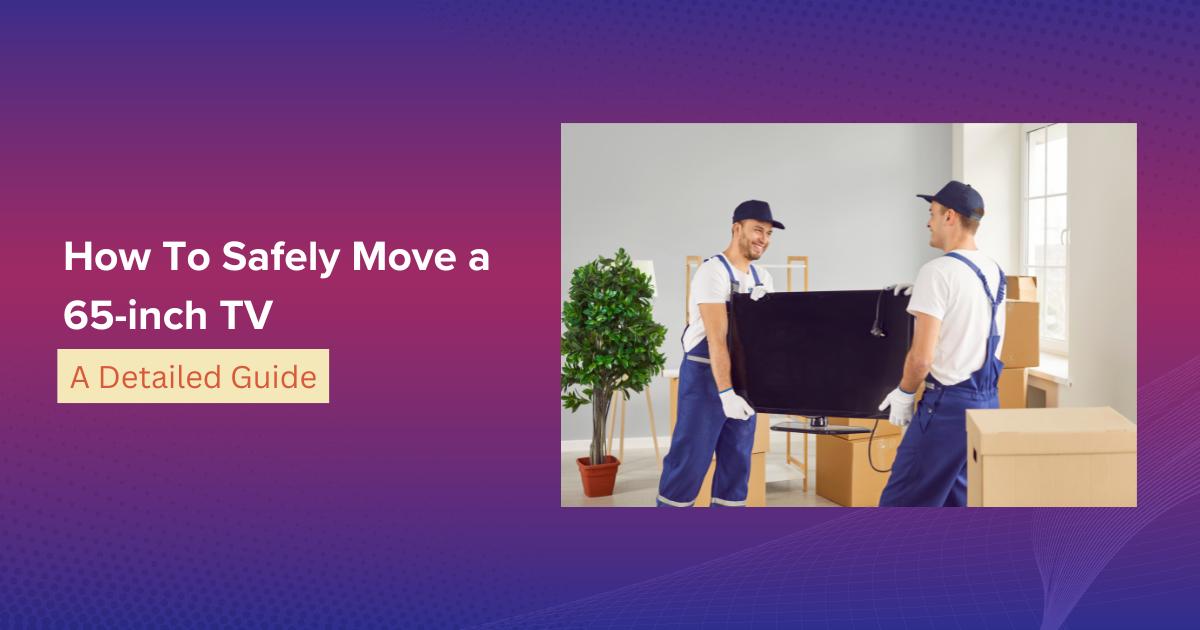
Our TVs are one of the reasons why Netflix and chill exist. They’re not just entertainment screens; they’re an investment in relaxation, family or friends bonding, and enjoyment.
Canadians spend over 20 hours per week watching TV, which means your big screen is probably one of the most used items in your home.
Now, if you’re planning a move, you’re likely dreading the idea of handling your 65-inch TV. One wrong move while lifting it could be enough to crack the screen or damage the frame.
Add to that its size, weight, and delicate display, and you have one of the most stressful and fragile items to move.
And let’s not forget that the TV is one of the most expensive electronic devices in most homes. Damaging it during a move could mean hundreds, even thousands, of dollars down the drain.
But don’t worry.
In this blog, we’ll walk you through everything you need to know about moving a 65-inch TV safely so it will arrive at your new home ready for your next Netflix marathon.
Supplies and Materials You Need
Before touching your TV, make sure you’ve got the right moving supplies and equipment.
Using the wrong packing materials is one of the most common mistakes during moving day and can cost you more than investing in proper tools.
Essential Supplies:
- The original TV box and packing materials (if you still have it)
- Flat screen TV moving box (if you don’t have the original)
- Edge protectors
- Bubble wrap
- Cardboard sheets
- Packing tape
- Plastic storage bag or small container
- Moving blankets or padding
- Foam corners
- Microfiber Cloth
- TV screen cleaner
- Packing peanuts or crumpled paper
- Stretch wrap
- TV cover
Tools You’ll Need:
- Box cutter or scissors
- Measuring tape
- Labelling marker
- Screwdriver or drill
- A friend or assistant
Step-by-Step Guide to Moving a 65-Inch TV
Moving a 65-inch flat-screen TV is not the same as packing a box of books or carrying small furniture.
These large TVs are fragile, heavy, and extremely valuable, which means improper handling can lead to cracks, broken screens, or costly repairs.
That’s why following a step-by-step guide is crucial to ensure your television is packed correctly, transported safely, and set up without issues in your new home.
Step 1: Assess If It’s Worth Moving
Before you begin wrapping cables and padding your TV’s screen, pause and ask yourself: Is this TV worth the effort, cost, and risk of moving?
Here’s what to consider:
Age of the TV
If your 65-inch TV is older than 7 years, the technology may already be outdated. Modern TVs are thinner, lighter, more energy-efficient, and often come with advanced features like 4K, OLED, or built-in smart streaming apps.
Condition
Check if your TV already has pixel issues, cracked edges, or a dim screen. If it’s damaged before the move, the risk of it breaking completely increases significantly.
Moving Costs
For a long-distance move, the cost of packing and transporting might be close to the price of buying a new TV at your destination.
If you decide it’s not worth moving, consider options like selling, donating, or throwing things away before moving.
But if your 65-inch TV is still in excellent condition and worth keeping, then it’s time to move forward with the next step.
Step 2: Measure Your TV and Box
While you already know it’s a 65-inch TV, don’t skip the measuring step. The “65-inch” measurement only refers to the diagonal length of the screen, not the overall dimensions.
The actual height, width, and depth can vary significantly depending on the brand, model, and design.
Accurate measurement matters for:
Choosing the Right Moving Supplies
Pick a box that fits your TV just right. A big box makes it slide and break, while a small box leaves no space for padding.
Padding Space
You’ll need at least 2-3 inches of space around the TV for bubble wrap, foam corners, or cardboard sheets.
Moving Truck Space Planning
Knowing the true dimensions helps when arranging your moving truck. It ensures your TV has a snug, upright position between secure items without being crushed.
Step 3: Ask for Help
A 65-inch television isn’t just heavy, it’s also awkwardly shaped. Just like moving heavy furniture, its slim design makes it fragile, and its sheer size makes it nearly impossible to carry safely on your own.
Attempting to move it solo is one of the quickest ways to cause damage, or worse, injure yourself.
Get A Friend or Family Member to Assist
Always have at least two people handle a TV of this size. One person can guide while the other lifts.
Consider DIY Moving or Hiring Pro Movers
If you’re doing the move yourself, make sure helpers are strong enough and know how to handle fragile electronics. If not, hiring professional movers can be the safer option.
If you’re unsure if your helper can handle the job, weigh the reasons to hire expert movers against the potential risk of DIY. Paying a little extra for moving insurance and professional help can save you from the headache of losing a major investment.
Step 4: Prepare Your Workspace
Set up a safe and organised workspace. Moving a large flat-screen is not something you want to rush or do in a cluttered area.
Preparation is one of the most overlooked yet essential things to consider during moving.
Here’s how you can prepare:
Clear Enough Floor Space
Make sure there’s room for the TV to lie flat temporarily (on padding) while you wrap it. Remove any obstacles or tripping hazards.
Lay Protective Cushioning
Place a thick soft blanket, foam padding, or a large sheet of bubble wrap on the floor. This prevents scratches and absorbs shock if the TV slips during wrapping.
Keep Your Moving Supplies and Equipment Near
Keep everything you need within reach. Running around looking for supplies mid-way increases the chance of mistakes.
Lighting and Ventilation
Work in a well-lit area so you can see what you’re doing and avoid accidents.
Step 5: Power Down and Disconnect
Before disconnecting anything, double-check that your TV is powered off and fully cooled down. Electronics are sensitive, and improper shutdowns can cause minor but long-term damage.
Now, unplug everything:
- Power cord – Remove it from the wall outlet. If detachable from the TV, disconnect it at both ends.
- HDMI cables – These are usually connected to consoles, streaming devices, or laptops.
- Coaxial cables – From your cable or satellite box.
- Other connections, such as Blu-ray/DVD players, external speakers, or soundbars.
Pro Tip:
Take clear photos of your wire setup with your phone before disconnecting. This simple trick saves you from the headache of guessing which cord goes where later.
Step 6: Remove Accessories and Stands
Large TVs can be mounted on walls or placed on stands with legs. Either way, you’ll need to remove these attachments before wrapping.
This step may feel tedious, but skipping it is one of the most common mistakes during moving day. Leaving accessories on increases bulk and risk of breakage.
If Your TV Is on A Stand
Most 65-inch TVs come with a heavy-duty base or legs that are screwed into the bottom. Use a screwdriver to remove the screws, and keep a firm grip on the base as you detach it, as it can be heavier than it looks.
Once removed, store the legs or stand in a labelled plastic bag along with the screws so nothing gets lost.
If Your TV Is Wall-Mounted
Wall-mounted TVs require extra care:
Check for a Locking Mechanism
Many modern wall mounts come with a safety lock or bolt that holds the TV securely in place. Before lifting, check the back of your TV for this mechanism.
If you feel resistance while trying to lift, stop immediately. Forcing it can crack the frame. Use a screwdriver to unlock it first, carefully.
Tilt and Lift the TV Off the Mount
With one person supporting the bottom of the TV, gently tilt the screen toward you while keeping the top edge against the wall. This angle makes it easier to release the TV bracket from the mount.
A second person should guide the top to ensure it doesn’t swing forward. Once it’s tilted correctly, the TV should lift smoothly off the bracket.
Unscrew the TV Bracket
Lay the TV face down on a soft blanket or padded surface (never on bare floors). Then, use a screwdriver to remove the mounting bracket attached to the back of the TV. Set the bracket aside with its screws in another labelled bag.
Remove the Wall Mount
If you’re taking the wall mount with you, use your screwdriver or drill to remove the mount from the wall. Don’t forget to patch any holes with spackling paste and touch up with paint if needed.
Step 7: Clean Your TV
Before wrapping, it’s wise to clean your TV properly. Dust, dirt, or fingerprints left on the screen can cause scratches when pressed against bubble wrap during transport.
Use only a microfiber cloth to clean the screen. This avoids streaks and scratches. Lightly wipe the screen in circular motions.
Check the manufacturer’s manual for approved cleaning solutions.
Never use harsh cleaners, paper towels, or ammonia-based sprays.
Step 8: Choose Your Packing Method
How you pack a 65-inch TV can make or break your moving day. At this size, the screen is wide, the frame is delicate, and one careless mistake can cost you hundreds of dollars in repairs.
The packing method you use depends on whether you still have the original box or not.
Here’s how to do it safely:
Option 1: Using the Original Box (Best Choice)
If you held onto the original packaging, you’ve struck gold. That box was built specifically for your TV model.
It fits snugly, supports the weight evenly, and usually comes with moulded foam or corner guards that keep the screen from shifting around.
Here are the steps to pack your 65-inch TV in the original box:
- Slide the foam or corner guards back into place.
- Carefully lower the TV into the box while keeping it upright.
- Seal every edge with heavy-duty packing tape so nothing comes loose in transit.
This is hands-down the safest, most secure method. If you have the box, use it.
Option 2: Using a Flat-Screen TV Moving Box
If the original box is long gone, your next best option is a specialty TV moving box. These are sold at hardware stores, moving supply shops, or even through professional movers.
The good thing about them?
They are adjustable, sturdy, and designed explicitly for large flat-screens like a 65-inch TV. Most even include padding or foam corners to protect against shocks.
Here are the steps in using a TV moving box:
- Wrap your TV in at least 2-3 layers of bubble wrap.
- Add corner protectors or foam pieces to shield the edges.
- Slide the wrapped TV upright into the moving box.
- Tape the box securely so it doesn’t split open.
Think of this as a smart insurance policy. A $20-$70 TV moving box is a small price to pay compared to replacing a broken 65-inch screen.
Option 3: Moving Your 65-Inch TV Without a Box (Last Resort)
No original packaging? Can’t find a TV box in your size? Don’t worry, you can still protect your TV, but it takes some creativity and extra care.
Here’s how to protect a 65-inch TV without a box:
- Wrap the entire screen in multiple layers of bubble wrap, starting from the top and working your way down.
- Place extra padding (blankets, towels, or foam) or edge protectors on the corners and edges.
- Lay a large moving blanket flat on the floor, set the TV upright on it, and fold the blanket tightly around the screen.
- Use stretch wrap or packing tape to keep the blanket secure.
- Keep the TV upright during the move and never flat on its back.
WARNING!
Don’t ever throw a 65-inch TV into a regular cardboard box. Standard boxes don’t have the structure to hold a screen this large or fragile, and you’ll end up with a cracked display before you even reach your new home.
Step 9: Pack Accessories Separately
One of the most overlooked steps is handling accessories. Cords, remotes, streaming sticks, and screws often get lost in the chaos of moving. To avoid this, pack them separately and with intention.
Place all small items like the remote, screws, and power cords inside a labelled plastic bag or small box.
Use proper labelling of moving boxes so you know exactly where these items are when unpacking. Write “TV ACCESSORIES” or “REMOTE + CORDS.”
If you have multiple TVs, label each bag according to the room it belongs to, like, for example, “LIVING ROOM TV ACCESSORIES.”
This ensures that when you arrive at your new home, you won’t spend hours digging through random boxes. Instead, everything is organised, easy to find, and ready for reassembly.
Step 10: Consider Humidity When Packing Your TV
Protecting electronics from humidity is commonly overlooked.
Moisture can easily cause condensation inside your television, leading to damage that may not be visible right away.
To avoid this, slip a few silica gel packets or moisture absorbers inside the box before sealing it.
These small packets help regulate humidity and protect delicate circuits, especially if you’re moving during the rainy season or in areas with high humidity.
Step 11: Label Your Box Properly
When packing your valuable items, labelling boxes clearly is critical. A properly labelled box communicates to movers how to handle it and prevents costly mistakes on moving day.
On the outside of your TV box, write the following in bold, visible letters: “FRAGILE,” “HANDLE WITH CARE,” “THIS SIDE UP,” and “TV – DO NOT LAY FLAT.”
These labels remind everyone involved in the move, whether it’s DIY or professional movers, to handle your TV correctly.
Step 12: Choose the Right Transport Option for Your TV
Before loading your TV into your moving truck, think about the type of transportation you’ll use.
This decision affects how much space you’ll need and how you’ll secure the TV during the move.
Using Your Own Vehicle
If you’re moving locally and have a spacious SUV or minivan, you may be able to transport your 65-inch TV yourself.
This option works best for short-distance moves or smaller TVs, but with a 65-inch TV, it’s usually better to consider other options.
Renting a Moving Truck
For bigger moves, renting a moving truck offers the space and stability your 65-inch TV needs. Rental trucks provide higher clearance, wider interiors, and smoother suspension compared to standard cars.
You’ll also have room to pad the TV with mattresses or other soft items, giving it extra shock absorption during bumpy rides. If your move involves longer-distance moves or multiple bulky items, a rental truck is often the most reliable choice.
Hiring Professional Movers
If you prefer peace of mind, hiring professional movers is a good option. Professionals usually have the right equipment, padding, and techniques to handle and move specialty items like your 65-inch TV.
Plus, with insurance options, you can protect your investment in case of unexpected accidents.
Step 13: Loading the Moving Truck
When it comes to loading, proper placement is key to preventing screen damage. Always keep your TV upright, NEVER LAY IT FLAT, as that increases the risk of cracking or warping.
For maximum protection, position the TV against the wall of the truck to keep it steady.
Secure it snugly between soft items like mattresses or upholstered furniture, and avoid stacking heavy boxes against the screen or sides of the box.
If you’re unsure about handling the loading process, you can hire movers to load the truck for you.
Step 14: Drive Carefully
Regardless of whether you’re driving your own rental truck for a local move or transporting your TV with professional movers, smooth driving is critical.
Sudden stops, sharp turns, or bumpy roads can cause internal screen damage.
Drive cautiously, take wide turns, and avoid speeding.
Remember, your electronics are some of your most valuable items, so a careful approach is worth the extra time.
Step 15: Unpack the TV Safely
After a long move, it’s tempting to tear through the packaging and get your 65-inch TV set up right away, but rushing this step is one of the easiest ways to cause damage.
The unpacking stage is just as important as packing, so take it slow and don’t rush.
Prepare the Setup Area
Before opening the box, clear the space where your TV will go. Ensure there are no sharp edges, clutter, or pets nearby that could bump into the screen.
Make sure the console table or TV stand is large enough to support the flat screen. If you’re using a wall mount, check that it’s drilled securely or anchored properly to handle the weight of your TV.
Unbox with Care
Gently place the TV’s box on the floor. Make sure you or your hired expert movers have placed the TV in an upright position. Avoid laying it flat unless absolutely necessary, as this can strain the screen. Use scissors or a box cutter to slice through the packing tape, but cut away from the TV to avoid scratching the surface. Take off each protective layer one step at a time.
Inspect for Damage
Before setting it up, check your 65-inch TV thoroughly. Look for cracks, scratches, or loose ports that may have happened in transit. If you hired expert movers and notice damage, document it right away for an insurance claim.
Reattach Accessories
Now it’s time to put everything back together. If you removed the TV stand or wall-mount brackets, use the screws you stored in a labelled bag to reattach them. Reconnect cables using the reference photo you took before moving. This will save you from fumbling with ports and cords.
Final Touches and Testing
Before powering it on, let your TV come to room temperature. This prevents condensation or moisture from causing problems with electronics. Once ready, gently wipe the screen with a microfiber cloth to remove dust or smudges, plug it in, reconnect your devices, and test it to make sure everything is working perfectly.
DIY vs. Hiring Movers: What’s Best for Moving Your 65-Inch TV
When it comes to moving a large, fragile item like a 65-inch TV, the decision between doing it yourself and hiring professional movers can make a big difference.
Below is a comparison that highlights what each option means specifically for handling a television of this size.
| Factor | DIY Moving Your 65-Inch TV | Hiring Professional Movers |
|---|---|---|
| Weight and Size Handling | A 65-inch TV is stressful and awkward to carry. You’ll need at least two people to lift and manoeuvre it safely without dropping it. | Professional movers are trained to handle oversized electronics with proper lifting techniques and equipment, reducing the risk of damage. |
| Loading Into the Truck | Balancing the TV upright in a truck can be tricky, especially without straps or padding. | Movers use ratchet straps, moving blankets, and padding to secure the TV against shifting during transit. |
| Protective Packing | You’ll need to buy a specialty TV box or create makeshift padding with blankets. | Expert movers often provide custom TV boxes or professional wrapping to keep the screen fully protected. |
| Risk of Damage | Higher risk if inexperienced, laying it flat or squeezing it between boxes can cause screen cracks or warped panels. | Movers understand the “never flat, always upright” rule and ensure the TV is loaded with safe spacing around it. |
| Time and Effort | Requires careful planning, extra time, and strong helpers to lift and load into the moving vehicle. | Movers handle everything quickly, saving you physical effort and time on moving day. |
| Cost | Lower upfront cost, just packing materials and possibly a truck rental. | Higher cost, but includes professional handling and insurance coverage in case of accidental damage. |
If you have reliable help, the right packing materials, and confidence in handling heavy and expensive electronics, DIY moving can save you money.
But for peace of mind, especially with something as fragile and valuable as a 65-inch TV, hiring local movers to move this item for you may be the safer choice.
Final Thoughts
Moving a 65-inch TV is about making a plan and paying attention to the little details that keep it safe. From packing the right packing supplies to labelling the box and figuring out the best way to transport it, every step matters.
One of the biggest choices you’ll face is whether to move the TV yourself or hire moving professionals.
DIY can seem like a budget-friendly moving option, but it also comes with risks. The risk of hiring cheap movers can be just as dangerous. That’s why setting a moving budget early on and balancing cost with peace of mind is so important, so you can hire professionals.
If you’re moving locally or long-distance, movers can save you from expensive damage and unnecessary stress. They can give you the peace of mind that your 65-inch TV will arrive in good condition, ready for your next movie night.
At the end of the day, your TV is more than just a screen; it’s where you relax, enjoy friends and family time, and stay entertained.
FAQ
1. Where can I buy TV moving boxes in Canada?
You can purchase TV moving boxes in Canada from major retailers like Home Depot, U-Haul, and Walmart. They’re also available online through Amazon or directly from moving supply stores.
If you’re hiring professional movers, many companies also sell or rent TV boxes designed explicitly for flat-screen TVs.
2. How much do TV moving boxes cost?
On average, a TV moving box costs $20-$70, depending on the brand and quality. Some kits come with foam inserts, edge protectors, and screen covers, which can push the price a bit higher, but these add extra protection.
3. Is it necessary to buy other packing materials for moving a 65-inch TV? Can the moving box do it alone?
While a TV moving box offers a strong first layer of protection, it’s not enough by itself. For a safe move, you’ll also need foam sheets, bubble wrap, moving blankets, and packing tape to cushion and secure the TV inside the box. Skipping these extras increases the risk of screen cracks or corner dents during transport.
4. What if my TV is more than 65 inches? Can I still move it myself?
Yes, you can move a larger TV yourself, but it becomes significantly more challenging. Anything over 65 inches usually requires two to three people to lift safely and a large moving truck or van for transport. If you don’t have enough hands or the right equipment, it’s safer (and often cheaper in the long run) to hire professional movers.
5. How much does it cost to hire movers to move your TV?
It can vary widely based on your location, distance, and whether packing supplies are included. Some companies may charge a flat rate, while others include it in their hourly moving rate.
Since prices can differ between provinces and even cities in Canada, it’s best to request a quote from a local moving company near you. This way, you’ll get an accurate cost tailored to your situation.
6. Is it better to move the TV face up or face down?
Neither. Your TV should always be moved upright, never flat. Placing it face up or face down puts too much pressure on the glass and internal components, which can lead to cracks or warping. Keep it vertical, secured against a wall in the truck, and cushioned with blankets or soft furniture for maximum protection.


